How-to
How to Permanently Delete Your Instagram Account in 2026 (Easy Step-by-Step Guide)
Ever notice how quickly a casual scroll turns into lost time? If you are thinking about how to permanently delete your Instagram account, you are not alone. Across the United States more users are questioning Instagram, its data habits, and its link to Meta. Rising social media privacy concerns and aggressive social media data collection have pushed many people to search for ways to delete Instagram permanently. However before you press delete you should understand the permanent account deletion process, the Instagram grace period, and how to download Instagram data safely. In this guide you will learn clear steps, smart precautions, and better online privacy protection strategies.
How to Deactivate Your Instagram Account: Step by Step
First decide if you want temporary Instagram deactivation instead of full deletion. Sometimes you just need silence not exile. To deactivate Instagram account open your Instagram account settings, tap Instagram account ownership and control, then select Deactivation. Confirm your password and your profile disappears for the Instagram grace period. During this time friends cannot see your posts and your remove Instagram profile action remains reversible.

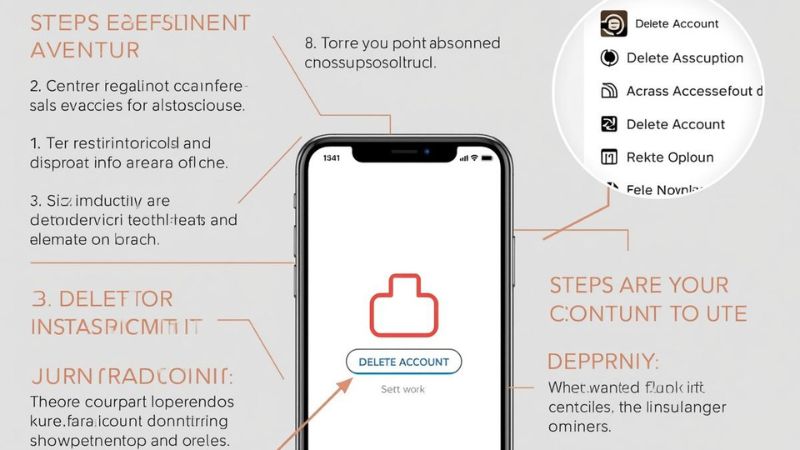
However remember one key rule. You can only deactivate once per week. Also your username stays reserved which protects your brand. If you plan to return this softer exit works well. For example small business owners often pause during rebranding. In that case temporary invisibility beats permanent erasure.
Should I Delete My Instagram Account or Just Deactivate It?
Choice shapes consequence. When you delete social media account access ends after the account reactivation period expires. Nobody can reclaim your photos unless you completed an Instagram data backup or personal data download request. On the other hand deactivation preserves your content on servers owned by Meta.
Consider this quick comparison:
| Feature | Deactivate | Delete |
|---|---|---|
| Profile Visible | No | No |
| Data Recoverable | Yes | No after grace |
| Username Reserved | Yes | No |
| Requires download Instagram data | Optional | Strongly recommended |
Therefore ask yourself one question. Do you want a detox or a departure. If mental clarity is the goal deactivate. If online privacy protection drives you delete.
What Happens When I Delete My Instagram Account?
Clicking delete does not vaporize your account instantly. Instead Instagram starts a countdown. During roughly 30 days your content stays hidden. After that the permanent account deletion process begins and your profile vanishes from public view.
Behind the curtain more happens. Your posts disappear from feeds. Your comments fade. Yet fragments of social media data collection may linger inside the wider Instagram ad network. That includes Instagram ad preferences, Instagram search history settings, and linked activity. Consequently deletion removes visibility yet not always historical data echoes.
Will Deleting My Instagram Account Remove My Data Permanently?
Here is where nuance enters. Deleting removes your visible profile. However copies of behavioral signals may persist due to data mining practices. Companies called online data brokers often archive details before you ever click delete. Therefore digital footprint removal may require more than pressing one button.
Look at this simplified breakdown:
| Data Type | Removed After Delete | May Exist Elsewhere |
|---|---|---|
| Photos and Videos | Yes | Rare |
| Messages | Yes | Possibly recipient copy |
| Ad Interaction History | Partial | Yes via online ad tracking |
| Device Signals | Limited | Yes via device fingerprinting |
Because of this experts recommend pairing deletion with data removal services or identity theft protection services. You can read federal guidance on privacy at https://www.ftc.gov. Knowledge beats assumption every time.
How Can I Protect My Data While Using Instagram?
Suppose you stay. Then protection matters. Start inside Instagram privacy settings. Turn off stop Instagram tracking options under ads. Adjust Instagram security settings. Set your profile private. Clear searches every three days to limit profiling. Also toggle cookies off to reduce cookie tracking.
Next strengthen your external defenses. Use a VPN for social media to enable IP address masking. This disrupts cross platform profiling. Combine that with routine Instagram account recovery checks and strong passwords. In addition monitor breaches through identity theft protection services. Think of it like locking doors before sleeping. Simple steps prevent loud regrets.
Click Here How to Remove a virus from Android
Final Thoughts on Deleting Your Instagram Account
Ultimately the decision belongs to you. Some people feel lighter after they delete Instagram permanently. Others prefer moderation. However awareness changes everything. When you understand how social media data collection works you act with intent not impulse.
So pause for a second. Ask yourself what you value more scrolling or sovereignty. If reclaiming time and privacy matters follow the steps above. Download your archive through download Instagram data. Complete your Instagram data removal. Then walk away calmly. After all digital freedom feels surprisingly quiet and wonderfully clear.
FAQ
Q1:How do I delete my Instagram account permanently?
Log in to Instagram and open Accounts Center from Settings.
Choose Personal Details > Account ownership and control > Deactivation or deletion, then select Delete account and confirm.
Q2:How do you delete an account on Instagram?
Go to Settings inside the Instagram app and tap Accounts Center.
Select Deactivation or deletion, choose your profile, tap Delete, and follow the confirmation steps.
Q3:Can I delete online accounts?
Yes, most websites allow deletion through account or privacy settings.
If you cannot find the option, check the Help section or contact customer support.
Q4:How do I delete my Instagram account on my Google phone?
On your Android Google phone, open Instagram and access Accounts Center in Settings.
Select Deactivation or deletion, choose your profile, then confirm permanent deletion.
Q5:How do I delete an account on Android?
Open your Android device Settings and tap Passwords and Accounts or Manage Accounts.
Select the account you want to remove, tap Remove account, and confirm.