How-to
Data Privacy Online: 10 Proven Ways to Protect Your Personal Info
In today’s digital world, safeguarding your data privacy online has become more important than ever. With hackers, trackers, and cybercriminals constantly trying to access personal information, knowing how to protect your digital footprint is essential. From using strong passwords and enabling two-factor authentication to managing social media privacy settings and avoiding unsecured networks, there are practical steps everyone can take. Understanding online privacy tools, VPNs, and encrypted communication apps can significantly reduce the risk of identity theft and data breaches. This guide shares 10 proven strategies to help you secure your personal information online and maintain complete control over your digital privacy.
This complete guide explains what data privacy is, why it matters, and the practical steps you can take to keep your personal information safe online.
What Is Data Privacy?
Data privacy refers to how personal information is collected, stored, shared, and protected online. Personal data can include:
- Name, email address, and phone number
- Login credentials and passwords
- Financial and banking information
- Location data and browsing history
- Photos, videos, and private messages
When this information is misused or exposed, it can lead to identity theft, financial loss, and serious privacy violations.
Why Data Privacy Is Important
Online privacy is not just about hiding information. It is about control and security.
Here are the main reasons data privacy matters:
- Prevents identity theft and fraud
- Protects financial and personal accounts
- Stops unauthorized tracking and profiling
- Reduces the risk of scams and phishing attacks
- Maintains personal and professional reputation
As online threats continue to grow, protecting data privacy is no longer optional.
Common Online Data Privacy Risks
Many users unknowingly expose their data due to everyday online habits. Some of the most common risks include:
Weak Passwords
Using simple or repeated passwords makes accounts easy targets for hackers.
Phishing Attacks
Fake emails, messages, or websites trick users into sharing sensitive information.
Public Wi-Fi Networks
Unsecured Wi-Fi connections can allow attackers to intercept data.
Data Tracking and Cookies
Websites and advertisers track online behavior without clear user awareness.
Data Breaches
Companies storing user data may experience breaches, exposing millions of users at once.
How Personal Data Is Collected Online
Understanding data collection helps users protect themselves better.
Personal data is commonly collected through:
- Website forms and account registrations
- Mobile apps and permissions
- Social media platforms
- Online purchases and subscriptions
- Cookies and tracking technologies
Many platforms collect more data than necessary, often for advertising and analytics purposes.
How to Protect Your Data Privacy Online
Protecting your online privacy requires a combination of awareness and smart habits.
Use Strong and Unique Passwords
Each account should have a unique password. A strong password includes:

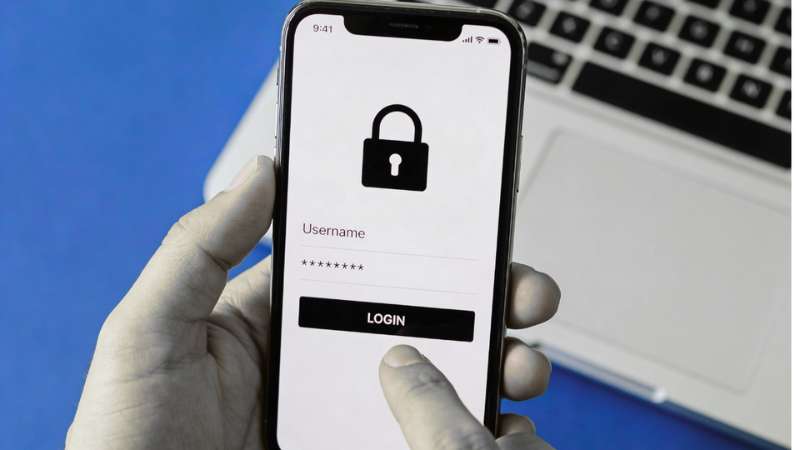
- Upper and lowercase letters
- Numbers
- Special characters
Using a password manager can help store and generate secure passwords.
Enable Two-Factor Authentication (2FA)
Two-factor authentication adds an extra security layer. Even if someone gets your password, they cannot access your account without a second verification step.
Be Careful With Public Wi-Fi
Public Wi-Fi networks are often unsecured. Avoid accessing sensitive accounts on public networks.
If necessary, use a trusted VPN to encrypt your connection.
Review App and Website Permissions
Many apps request unnecessary permissions.
Regularly check:
- App permissions on your phone
- Account privacy settings
- Connected third-party apps
Remove access that is not required.
Keep Software and Devices Updated
Software updates often include security patches. Keeping your operating system, browser, and apps updated helps protect against known vulnerabilities.
for wi-Fi issues please check this link for complete guide to wi-fi connectivity.
How to Fix Common Wi-Fi Connectivity Issues at Home
Use Secure Browsers and Privacy Tools
Privacy-focused browsers and extensions can reduce tracking.
Helpful tools include:
- Secure browsers with tracking protection
- Ad blockers
- Privacy-focused search engines
These tools limit how much data websites can collect.
Avoid Oversharing on Social Media
Sharing personal details publicly can expose users to scams and identity theft.
Avoid posting:
- Phone numbers and addresses
- Travel plans
- Personal documents or IDs
Adjust privacy settings to limit who can see your content.
Recognize and Avoid Phishing Attempts
Phishing scams often look legitimate.
Warning signs include:
- Urgent or threatening language
- Unknown senders
- Suspicious links or attachments
Always verify before clicking or sharing information.
How Companies Use Your Data
Many companies collect data for analytics, advertising, and personalization.
Data is commonly used for:
- Targeted ads
- User behavior analysis
- Product improvement
- Marketing campaigns
While some data use is legitimate, users should understand their rights and choices.
Your Data Privacy Rights
Depending on your location, data privacy laws protect users.
Common rights include:
- The right to know what data is collected
- The right to access your data
- The right to delete personal information
- The right to limit data sharing
Review privacy policies and account settings to exercise these rights.
How to Protect Data Privacy on Mobile Devices
Mobile devices store a large amount of personal data.
To stay safe:
- Lock your device with a strong passcode
- Enable biometric security if available
- Avoid installing apps from unknown sources
- Turn off unnecessary location tracking
Regular backups also help protect data in case of loss or theft.
How to Protect Data Privacy While Shopping Online
Online shopping requires extra caution.
Follow these tips:
- Shop only on secure websites (HTTPS)
- Avoid saving card details on unknown sites
- Use trusted payment methods
- Monitor bank statements regularly
Secure practices reduce the risk of financial fraud.
Best Practices for Long-Term Data Privacy
Data privacy is an ongoing process.
Develop these habits:
- Regularly review privacy settings
- Clean unused accounts
- Monitor suspicious activity
- Stay informed about new online threats
Consistency is key to long-term protection.
Conclusion
Protecting your data privacy online is no longer optional it’s essential in today’s connected world. By implementing strong passwords, using VPNs, enabling two-factor authentication, and regularly updating your privacy settings, you can safeguard your personal information online. Awareness of cybersecurity threats, cautious sharing on social media, and using encrypted communication apps further strengthen your defense. Following these 10 proven strategies ensures your digital privacy stays intact and reduces the risk of identity theft, hacking, and unauthorized tracking. Take charge today and make your online privacy a top priority for a safer digital experience.
FAQ
Q1: How can I protect my data on social media?
A1: Use strong passwords, enable two-factor authentication, adjust privacy settings, and avoid sharing sensitive personal info.
Q2: Are free VPNs safe for privacy?
A2: Some free VPNs may log your data. It’s best to use a trusted, paid VPN to ensure proper encryption and privacy.
Q3: How can I prevent my data from being sold online?
A3: Opt out of data collection services, adjust privacy settings on apps and websites, and avoid unnecessary app permissions.
Q4: Is using incognito mode enough for privacy?
A4: Incognito prevents local browsing history storage, but it doesn’t hide your activity from ISPs, websites, or apps.